
COM Express Type 6

Comparison of Qseven, COM Express and SMARC Computer-on-Module standards

Qseven vs COM Express vs SMARC: How to Choose the Right Computer-on-Module

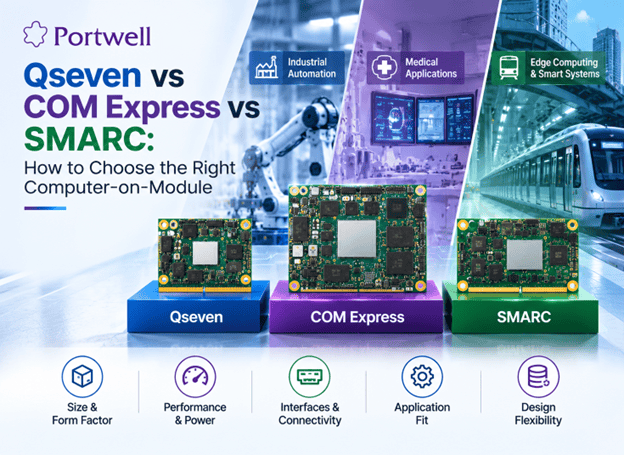
Home Blog Qseven blogs Qseven vs COM Express vs SMARC: How to Choose the Right Computer-on-Module Published On: 22 October 2026 Table of Contents Choosing the right Computer-on-Module (COM) is an important factor when designing an embedded system. The module affects the size of the system, its connections, power consumption, heat and upgradeability.  Qseven, COM Express, and SMARC are three standards used in embedded computing. Each has its own size, connector, and design features. Knowing the differences can help engineers, OEMs and product creators to select the right one. Qseven is designed around a compact module format, COM Express offers multiple form factors and interface options, and SMARC targets compact embedded designs with an emphasis on low power This guide compares Qseven, COM Express, and SMARC. It outlines their key differences and what to look for when choosing a module for an industrial or embedded system What Is a QSeven Module?  Qseven is a Computer-on-Module standard for compact embedded designs. The module connects to a compatible carrier board, while processor options and supported interfaces depend on the specific model.  Features of Qseven Size: The Qseven Module is available in 70 × 70 mm and 40 × 70 mm sizes.  Connector: Qseven Modules use a 230-pin MXM connector.  Design: Qseven Modules can work with a compatible carrier board.  Range of uses: Qseven Modules can be used in devices and other embedded products.  Product choice: Processor types and features available depend on the Qseven module.  Hence, a QSeven computer on a module can be a choice for designs that need a small module and a clear path for future upgrades.  I always recommend checking the Qseven Module’s processor, ports, power needs, and software support before making a choice. What Is COM Express? COM Express is a Computer-on-Module standard developed by the PCI Industrial Computer Manufacturers Group (PICMG).  It supports a range of embedded computing needs. Different COM Express types and sizes offer different layouts and connection options. This gives designers more choice when building systems for demanding tasks.  Features of COM Express Several sizes: Common sizes include Mini, Compact, Basic, and Extended.  Different module types: Connector layouts and available signals depend on the COM Express type.  Wide range of uses: It can support industrial control, medical devices, and other embedded systems.  Flexible design: A compatible carrier board provides the ports needed by the final product.  Scalable computing: Different modules may offer different levels of processing power.  COM Express may suit projects that need more processing power or a wider range of connections. The right choice depends on the required features, board space, power use, and budget.  Before choosing a module, check its exact COM Express type. The module and COM Express carrier board must use compatible layouts and signals. What Is SMARC? SMARC stands for Smart Mobility ARChitecture. It is a Computer-on-Module standard maintained by SGET.  SMARC is designed for compact, low-power embedded systems. It is often used with Arm-based processors, although the processor choice depends on the available module. Features of SMARC  Compact design: Common module sizes are 82 × 50 mm and 82 × 80 mm.  Standard connector: SMARC uses a 314-pin edge-finger connector. Low-power focus: Many SMARC designs suit systems with tight power limits.  Small footprint: Its size can help when board space is limited.  Flexible applications: It can be used in devices such as control systems, gateways, and other embedded products.  SMARC may be a good option when size and power use are key concerns. Check the processor, memory, interfaces, cooling needs, and software support for each module.  Qseven vs COM Express vs SMARC: Key Differences The three standards support modular embedded computing, but they differ in size, connectors, and design goals. Choose a Computer-on-Module by matching the processor, board space, interfaces, power and cooling limits, and carrier-board compatibility to your application’s requirements. Feature Qseven COM Express SMARC Standard body SGET PICMG SGET Main design focus Compact embedded systems A wide range of computing needs Compact, low-power systems Common module sizes 70 × 70 mm; 40 × 70 mm Mini, Compact, Basic, Extended 82 × 50 mm; 82 × 80 mm Connector 230-pin MXM Depends on module type 314-pin edge-finger Processor options Depends on module Depends on module Often Arm-based; check each model Connections Depend on module and carrier board Depend on module type and carrier board Depend on module and carrier board Best starting point Small designs with suitable module support Projects with specific computing and I/O needs Compact designs with tight power limits Not Sure Which Computer-on-Module Fits Your Design? Compare your processing, interface, power, and space requirements with Portwell’s team. Get Expert Guidance How to Choose the Right Computer-on-Module? There is no one universal best standard to use in all applications. It all depends on the requirements of your particular product.  Consider these criteria before making your decision. 1. Application review Identify all the functions your product is going to perform first.  For instance, a basic controller may require less computing power compared to a machine vision system that requires more advanced graphic or AI support.  Document the main functions your product is going to perform before module comparison. 2. Module size and space for a board Calculate the dimensions of the free space available in your product. Consider the size of the module, the area for connectors and cooling elements.  Qseven SOM and SMARC are small modules, whereas the COM Express has a variety of form factors. Evaluate the entire design, not the size of the module itself. 3. Selection of the right processor A processor defines the performance characteristics of the system such as speed, power consumption and capabilities.  Evaluate the following parameters:  Processor type and speed Number of cores Memory capacity Graphic or AI support, if necessary Operating system support  Select a processor that meets your needs without additional unnecessary features. 4. Required Interfaces Depending on your project your product may require Ethernet, USB, PCIe, display interface and others.  Make a list of all ports and signals required by your product and

Qseven vs COM Express vs SMARC: How to Choose the Right Computer-on-Module Read More »
Portwell COM Express modules showing Type 10 Mini, Type 6 Compact, and Type 7 Basic form factors for embedded computing applications

COM Express Module Types: Form Factors and How to Choose

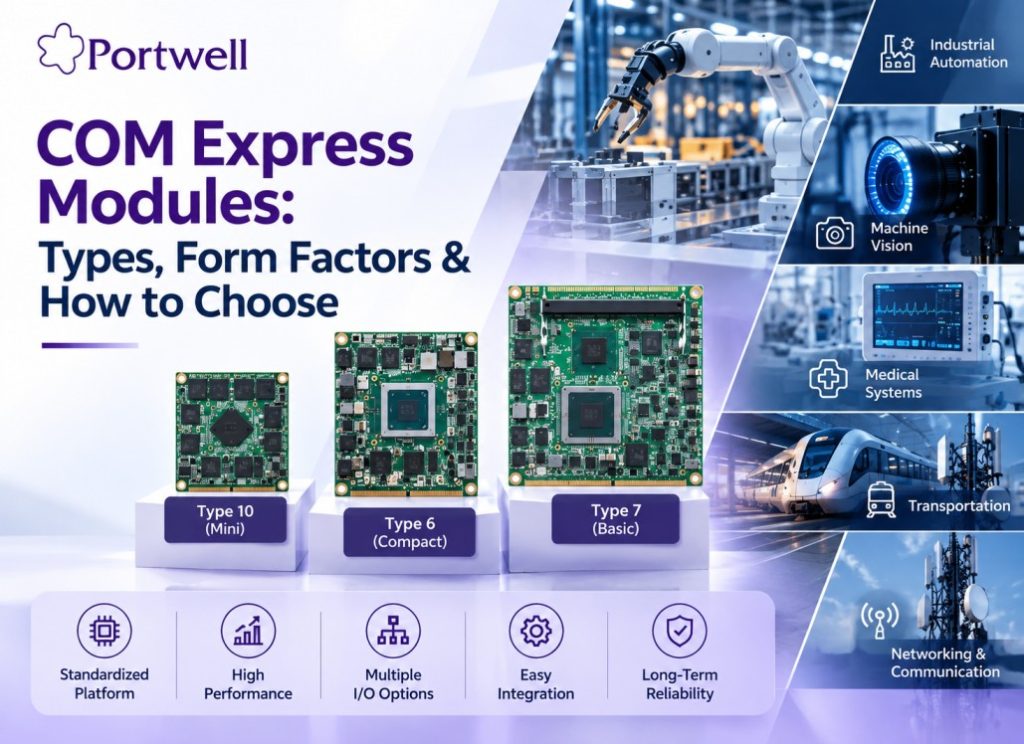
Home Blog COM Express Modules COM Express Modules: Types, Form Factors and How to Choose Published On: 07 September 2026 Table of Contents What Is a COM Express Module? COM Express is a Computer-on-Module (COM) standard that places the main computing functions on a compact module. These functions can include the processor, memory, graphics and core I/O interfaces. The module connects to a carrier board, which provides application-specific I/O, connectors and system expansion. This modular design allows OEMs and system integrators to build embedded systems around a standardized computing platform. How Does A COM Express Module Work? A COM Express System has two main parts: COM Express Module The module provides the main computing functions, including the processor, memory and core interfaces. Carrier Board The carrier board provides the application-specific connections, I/O ports and expansion needed by the system. Together, the COM Express module and carrier board form a complete embedded computing platform. The standardized design also gives OEMs more flexibility. When a new processor or computing platform is needed, the module can often be upgraded without redesigning the entire carrier board. Ready to Find the Right COM Express Module? Explore COM Express Modules COM Express Type 6 vs Type 7 vs Type 10 COM Express Type 6, Type 7 and Type 10 are designed for different computing, I/O and size requirements. COM Express Type Form Factor Typical applications Type 6 Balanced processing, graphics, and general I/O Industrial automation, HMI, robotics, machine vision, edge computing Type 7 High-speed networking and high-bandwidth I/O. Edge servers, network appliances, communication systems, high-throughput computing. Type 10 Compact Mini form factor for space- and power-constrained designs Space-constrained embedded systems where footprint matters more than raw I/O count COM Express Form Factors COM Express Type Form Factor Actual Size Type 10 Mini 55 × 84 mm Type 6 Compact 95 × 95 mm Type 7 Basic 95 × 125 mm What Is a COM Express Carrier Board and Why Is It Important? A COM Express carrier board connects the COM Express module to the rest of the system. The carrier board can provide: Application-specific I/O Connectors Storage interfaces Networking interfaces Display connections Expansion options Carrier board design also depends on the COM Express type. For example, a Type 6 carrier board is designed around the Type 6 pinout and its graphics and general I/O capabilities. A Type 7 carrier board is designed for the different I/O and high-speed networking requirements of Type 7. Therefore, a carrier board designed for one COM Express type is not automatically compatible with another type. COM Express vs COM-HPC, Qseven and SMARC COM Express, Qseven, and SMARC are Computer-on-Module standards designed for different performance, size and power requirements. COM Express provides a broad range of performance and I/O options, while Qseven and SMARC are commonly used where smaller form factors and lower power consumption are important. COM-HPC is a higher-performance PICMG Computer-on-Module standard designed for applications requiring greater I/O bandwidth and power than COM Express can provide. COM-HPC complements rather than simply replaces COM Express, making the two standards relevant to different system requirements. COM Express connector can deliver, while COM Express remains the broader, more established standard for current industrial and embedded designs. How to Choose the Right COM Express Module? Choosing a COM Express module starts with the application and workload. From there, evaluate processor performance, memory, I/O, power, thermal requirements, form factor and carrier-board compatibility. Processor In selecting a processor, it is important to consider its performance characteristics. It is important to analyse such factors as the processor generation, number of cores, graphics performance, and specific applications like industrial automation, machine vision, and edge computing. Memory It is essential to determine the type, size, and configuration of memory. By and large, this will be dictated by the operating system, applications, and processing needs. I/O Interfaces It is necessary to define the I/O interfaces to which peripheral devices will be connected. In this regard, PCIe, USB, SATA, Ethernet, and video interfaces are worth considering. Power It is always critical to compare power performance and budget since a given module will have power requirements that must be matched by the system power budget. This factor is closely related to the power draw of the processor. Thermal It is essential to understand the operating thermal budget in advance as some times, the industrial applications require cooling infrastructure. Form Factor It is always critical to consider the COM Express form factor in relation to the space allocated to the module. For instance, mini, compact, and basic modules have different physical dimensions. Carrier Board It is essential to select a module that is compatible with the given carrier board. In this regard, the pinout of the connector and the interfaces that need to be supported are also worth considering. Not sure which module fits your application? Talk to a COM Express engineer Which Portwell COM Express Modules Are Available? COM Express modules are used in applications where OEMs need a flexible and scalable computing platform. Common applications include: Industrial automation and robotics Machine vision and industrial HMI Edge computing and Edge AI systems Medical equipment Transportation systems Networking and communication systems, particularly network appliances built on Type 7 Defence and Aerospace Which Portwell COM Express Modules Are Available? Portwell offers COM Express Type 6, Type 7 and Type 10 modules across different processor platforms, form factors and performance levels. The complete portfolio includes modules for industrial automation, machine vision, edge computing, networking and other embedded applications. Product Module Type Processor / Platform Key Features Action PCOM-B65A COM Express Type 6 Basic Module Intel® Core™ Ultra 200 Series DDR5 · PCIe Gen 4 · USB 3.2 · 2.5GbE View Product PCOM-B658VGL COM Express Type 6 Basic Module Intel® 12th / 13th Gen H/P/U Processor DDR5 View Product PCOM-B659 COM Express Type 6 Compact Module Intel® 13th Gen P/U Processor DDR5 · PCIe Gen 4 · USB4 · 2.5GbE View Product Looking for more COM Express modules? View All COM Express Modules Why Choose

COM Express Module Types: Form Factors and How to Choose Read More »

Sales Request
Sales Request
Subscribe Portwell Newsletter
Enquire Now
Enquire Now
Enquire Now
Enquire Now
Talk to us
Enquire Now
Scroll to Top