
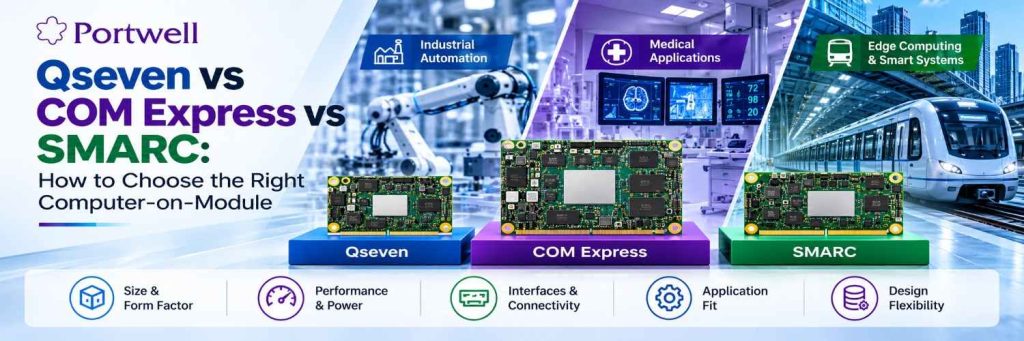
Qseven vs COM Express vs SMARC: How to Choose the Right Computer-on-Module

Stephen Athokpam,
Embedded Computing & Industrial Systems Specialist, Portwell India
Published On: 22 October 2026
Table of Contents
Choosing the right Computer-on-Module (COM) is an important factor when designing an embedded system. The module affects the size of the system, its connections, power consumption, heat and upgradeability.
Qseven, COM Express, and SMARC are three standards used in embedded computing. Each has its own size, connector, and design features. Knowing the differences can help engineers, OEMs and product creators to select the right one.
Qseven is designed around a compact module format, COM Express offers multiple form factors and interface options, and SMARC targets compact embedded designs with an emphasis on low power
This guide compares Qseven, COM Express, and SMARC. It outlines their key differences and what to look for when choosing a module for an industrial or embedded system
What Is a QSeven Module?
Qseven is a Computer-on-Module standard for compact embedded designs. The module connects to a compatible carrier board, while processor options and supported interfaces depend on the specific model.
Features of Qseven
- Size: The Qseven Module is available in 70 × 70 mm and 40 × 70 mm sizes.
- Connector: Qseven Modules use a 230-pin MXM connector.
- Design: Qseven Modules can work with a compatible carrier board.
- Range of uses: Qseven Modules can be used in devices and other embedded products.
- Product choice: Processor types and features available depend on the Qseven module.
Hence, a QSeven computer on a module can be a choice for designs that need a small module and a clear path for future upgrades.
I always recommend checking the Qseven Module’s processor, ports, power needs, and software support before making a choice.
What Is COM Express?
COM Express is a Computer-on-Module standard developed by the PCI Industrial Computer Manufacturers Group (PICMG).
It supports a range of embedded computing needs. Different COM Express types and sizes offer different layouts and connection options. This gives designers more choice when building systems for demanding tasks.
Features of COM Express
- Several sizes: Common sizes include Mini, Compact, Basic, and Extended.
- Different module types: Connector layouts and available signals depend on the COM Express type.
- Wide range of uses: It can support industrial control, medical devices, and other embedded systems.
- Flexible design: A compatible carrier board provides the ports needed by the final product.
- Scalable computing: Different modules may offer different levels of processing power.
COM Express may suit projects that need more processing power or a wider range of connections.
The right choice depends on the required features, board space, power use, and budget.
Before choosing a module, check its exact COM Express type. The module and COM Express carrier board must use compatible layouts and signals.
What Is SMARC?
SMARC stands for Smart Mobility ARChitecture. It is a Computer-on-Module standard maintained by SGET.
SMARC is designed for compact, low-power embedded systems. It is often used with Arm-based processors, although the processor choice depends on the available module.
Features of SMARC
- Compact design: Common module sizes are 82 × 50 mm and 82 × 80 mm.
- Standard connector: SMARC uses a 314-pin edge-finger connector.
- Low-power focus: Many SMARC designs suit systems with tight power limits.
- Small footprint: Its size can help when board space is limited.
- Flexible applications: It can be used in devices such as control systems, gateways, and other embedded products.
SMARC may be a good option when size and power use are key concerns. Check the processor, memory, interfaces, cooling needs, and software support for each module.
Qseven vs COM Express vs SMARC: Key Differences
The three standards support modular embedded computing, but they differ in size, connectors, and design goals.
Choose a Computer-on-Module by matching the processor, board space, interfaces, power and cooling limits, and carrier-board compatibility to your application’s requirements.
| Feature | Qseven | COM Express | SMARC |
|---|---|---|---|
| Standard body | SGET | PICMG | SGET |
| Main design focus | Compact embedded systems | A wide range of computing needs | Compact, low-power systems |
| Common module sizes | 70 × 70 mm; 40 × 70 mm | Mini, Compact, Basic, Extended | 82 × 50 mm; 82 × 80 mm |
| Connector | 230-pin MXM | Depends on module type | 314-pin edge-finger |
| Processor options | Depends on module | Depends on module | Often Arm-based; check each model |
| Connections | Depend on module and carrier board | Depend on module type and carrier board | Depend on module and carrier board |
| Best starting point | Small designs with suitable module support | Projects with specific computing and I/O needs | Compact designs with tight power limits |
Not Sure Which Computer-on-Module Fits Your Design?
Compare your processing, interface, power, and space requirements with Portwell's team.
Get Expert GuidanceHow to Choose the Right Computer-on-Module?
There is no one universal best standard to use in all applications. It all depends on the requirements of your particular product.
Consider these criteria before making your decision.
1. Application review
Identify all the functions your product is going to perform first.
For instance, a basic controller may require less computing power compared to a machine vision system that requires more advanced graphic or AI support.
Document the main functions your product is going to perform before module comparison.
2. Module size and space for a board
Calculate the dimensions of the free space available in your product. Consider the size of the module, the area for connectors and cooling elements.
Qseven SOM and SMARC are small modules, whereas the COM Express has a variety of form factors. Evaluate the entire design, not the size of the module itself.
3. Selection of the right processor
A processor defines the performance characteristics of the system such as speed, power consumption and capabilities.
Evaluate the following parameters:
Processor type and speed Number of cores Memory capacity Graphic or AI support, if necessary Operating system support
Select a processor that meets your needs without additional unnecessary features.
4. Required Interfaces
Depending on your project your product may require Ethernet, USB, PCIe, display interface and others.
Make a list of all ports and signals required by your product and evaluate whether the module and carrier board support them.
Do not assume that all computers on modules based on one standard have identical set of interfaces.
5. Power consumption and cooling requirements
The computer on the module should fit the power and temperature requirements of your product.
Evaluating power consumption, cooling solutions and the temperature range is vital. Also do not forget to take into account the heat generation of the adjacent components.
This is particularly important in the case of industrial products that should operate continuously for an extended period of time.
6. Carrier Board
A carrier board is an integral element connecting the computer module to the rest of the product. This board implements all the ports and signals necessary for your application.
Ensure compatibility between the computer-on-module and carrier board in terms of connector, pinout, power source, interfaces, and other criteria.
The computer on module is not always compatible with every possible carrier board.
Which Standard Should You Choose?
The best standard depends on your project’s needs. Use the points below as a starting guide.
Consider Qseven if:
- You need a compact module.
- The available Q7 module meets your processing needs.
- The connector and carrier-board options fit your design.
- You want a modular design with a possible upgrade path.
Consider COM Express if:
- You need to compare several module sizes.
- Your application has specific processing or connection needs.
- The available COM Express types fit your carrier-board design.
- You need a module for a more demanding embedded workload.
Consider SMARC if:
- You need a compact design.
- Low power use is an important goal.
- An available SMARC module meets your processor and interface needs.
- Its size and connector fit your product.
Building Your Next Embedded System?
Find a suitable Computer-on-Module for your application with guidance from Portwell's embedded computing team.
Discuss Your ProjectFrequently Asked Questions
They are different Computer-on-Module standards. They use different sizes, connectors, and design approaches. The best option depends on your processor, power, space, and connection needs.
Common Qseven sizes are 70 × 70 mm and 40 × 70 mm. Check the dimensions of the specific module before planning your board.
The Qseven module contains the main computing parts, such as the processor and memory. The carrier board provides the connections needed by the final product.
Qseven can be used in industrial embedded systems when the module meets the application's needs. Check its temperature range, power use, processor, software support, and expected service life.
No. The module and carrier board must be compatible. Check the connector, pin layout, power requirements, and supported signals before using them together.
Start with your processing needs, available board space, required ports, power limits, and cooling needs. Then check the COM Express type, carrier-board compatibility, and software support.
You can view Portwell's Qseven product range here: Portwell Qseven Modules. Review each product's specifications to see whether it fits your design.
Qseven and SMARC are both Computer-on-Module standards used in embedded computing. Qseven modules commonly use a 70 × 70 mm or 40 × 70 mm form factor with a 230-pin MXM connector. SMARC modules commonly use an 82 × 50 mm or 82 × 80 mm form factor with a 314-pin edge-finger connector. The right choice depends on your available board space, processor requirements, power limits, and interface needs.
Consider COM Express when your application requires a particular combination of processing performance, connectivity, or module form factors that available COM Express products can provide. Qseven may suit more compact designs. Before deciding, compare the specifications of the actual modules, including processor performance, power consumption, interfaces, cooling, and carrier-board compatibility.
Before selecting a carrier board, verify that it is compatible with your Computer-on-Module. Check the connector type, pinout, supported interfaces, power requirements, mechanical dimensions, and cooling requirements. Also confirm operating-system and software support. A module and carrier board should not be assumed compatible simply because they follow a related design standard.
For a power-constrained application, compare the module's actual power consumption, processor performance, thermal requirements, and cooling options. SMARC may be worth considering for compact, low-power designs, but the best choice depends on the specifications of the individual module. Also evaluate the required interfaces, operating temperature, and software support before making a decision.
Explore Portwell Computer-on-Modules
Portwell offers Computer-on-Module solutions for a range of embedded computing requirements. Explore our Qseven, COM Express, and SMARC product families to compare available options for your application’s processing, connectivity, power, and form-factor needs.
- Qseven Embedded Module: Explore compact module options for embedded applications.
- COM Express Modules: Compare module types and form factors for different computing and connectivity requirements.
- System-on-Modules: Explore Portwell’s broader module platform range, including Qseven, COM Express, and SMARC.
Need Help Selecting the Right Module?
Discuss Your Project with Portwell
Stephen Athokpam
Stephen Athokpam is an Embedded Computing Systems Specialist at Portwell, covering COM Express modules, industrial motherboards, and edge AI systems for OEMs and system integrators.